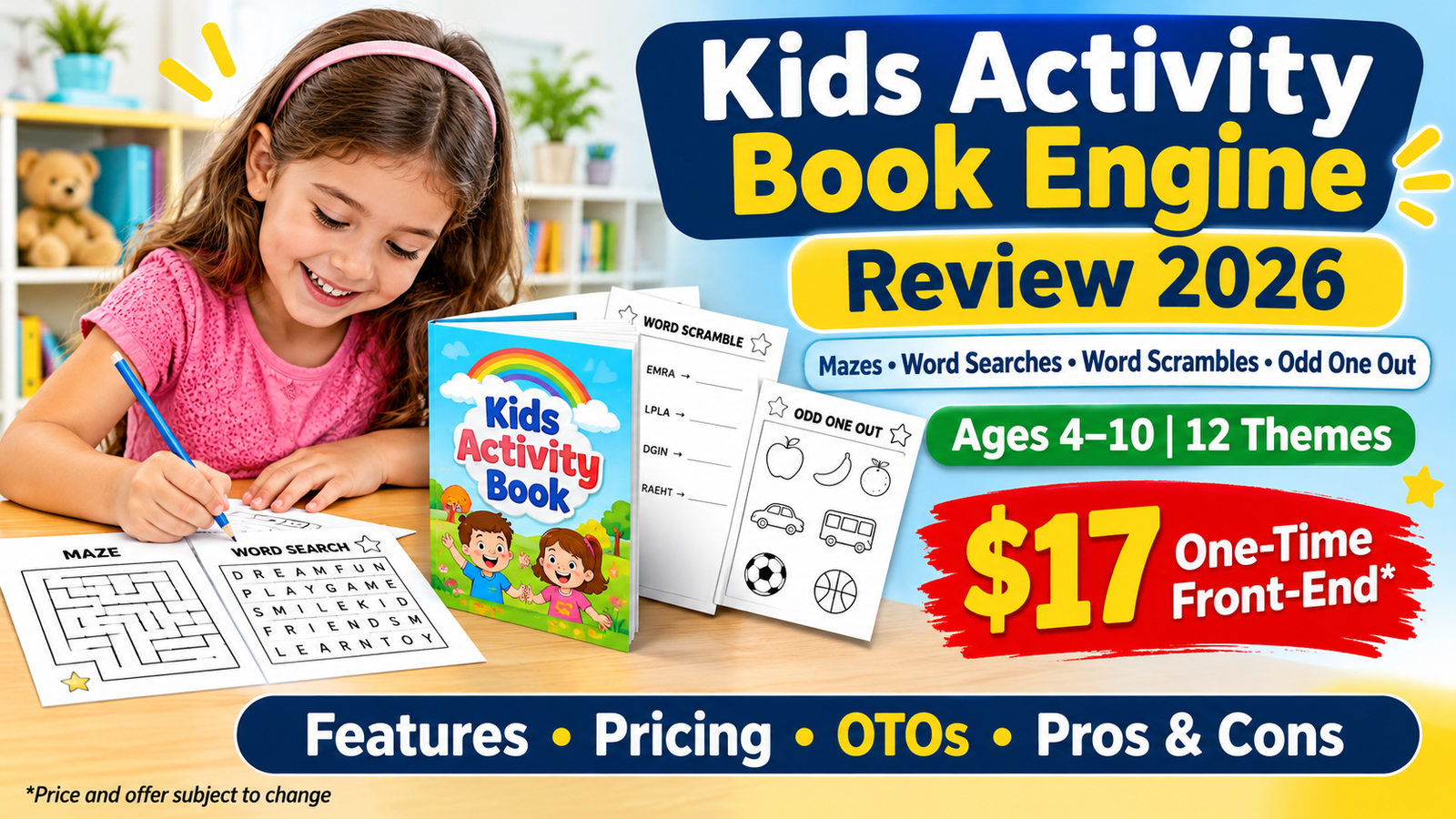
Creating a children’s activity book can sound like a simple publishing project. You choose a theme, add a few puzzles, design a cover and upload the files to Amazon Kindle Direct Publishing (KDP).
But the actual process can take much longer than expected.
You need to make sure every maze has a valid route, every word in a word search appears in the grid, and every answer key is correct. You also need to format the interior and prepare a cover that meets the publishing platform’s requirements.
This is where Kids Activity Book Engine aims to help.
Created by Dave Espino and Anil Krishna of The Elite Engines, this web-based tool is designed to generate children’s puzzle books with answer keys and downloadable PDF files. It offers four puzzle types, three age levels, 12 themes and several book sizes.
The front-end offer is listed at $17 as a one-time payment.
But is Kids Activity Book Engine worth buying? What features do you get, and are the optional upgrades necessary?
In this review, we’ll examine its features, workflow, pricing, OTOs, bonuses, advantages and limitations so you can make a more informed decision.

Kids Activity Book Engine Review: Quick Overview
| Detail | Information |
|---|---|
| Product | Kids Activity Book Engine |
| Creators | Dave Espino and Anil Krishna |
| Platform | The Elite Engines |
| Category | Children’s puzzle and activity book creator |
| Access | Web-based application |
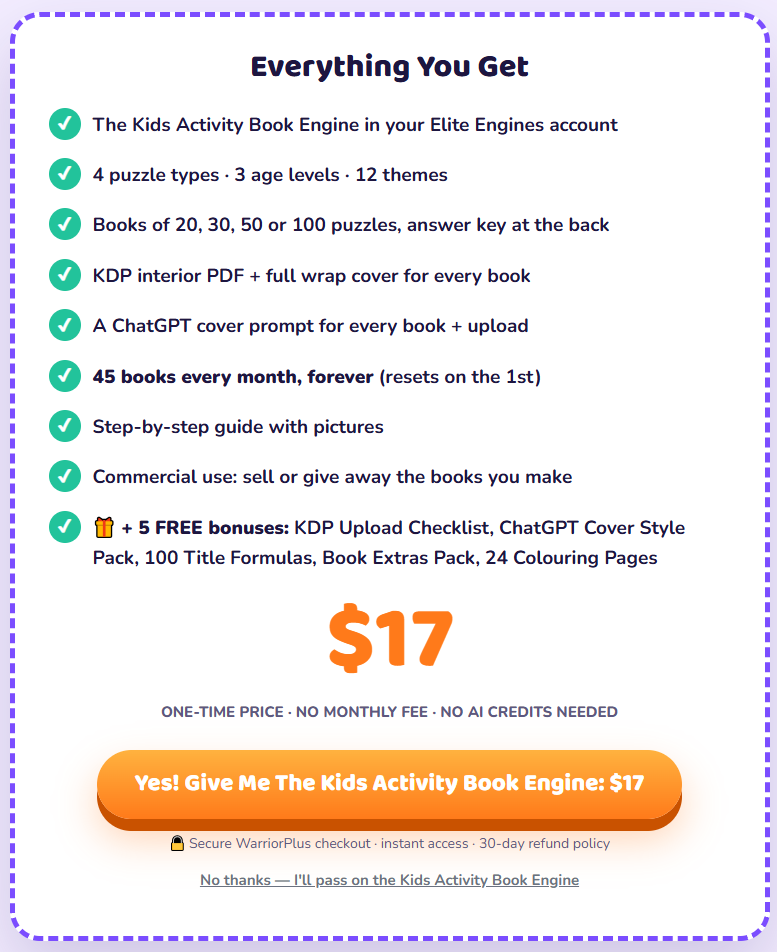
| Puzzle types | Mazes, word searches, word scrambles and odd one out |
| Age groups | 4–6, 6–8 and 8–10 |
| Themes | 12 |
| Book sizes | 20, 30, 50 or 100 puzzles |
| Output | Interior PDF and full-wrap cover PDF |
| Front-end price | $17 one-time |
| Monthly fee | No monthly fee for the front-end offer |
| Commercial use | Sell or give away the books you create |
| Refund policy | 30 days, according to the supplied offer details |
| Marketplace | WarriorPlus |
Official Sales Page: https://theeliteengines.com/kids-activity-engine/
Prices, features and offer terms can change. Check the current checkout page before purchasing.
What Is Kids Activity Book Engine?
Kids Activity Book Engine is a browser-based tool that helps users create children’s puzzle and activity books.
Instead of manually designing each puzzle and preparing the answer pages, you select your preferred settings and let the engine generate the book.
The process starts by choosing an age group and one or more themes. You then select the puzzle types and the number of puzzles you want to include. Finally, you enter a book title and pen name.
According to the product information, the engine generates the puzzles, creates the answer key and prepares two downloadable files:
An 8.5 × 11-inch black-and-white interior PDF.
A full-colour wrap cover PDF with front, spine and back.
The product is designed for people who want to create activity books for Amazon KDP, printable shops, classrooms or personal use.
It is important to understand that the tool prepares the files. You still need to review them, complete the publishing information and decide how to market your books.
How Does Kids Activity Book Engine Work?
The workflow is designed to be straightforward, even for beginners.
Step 1: Select an Age Group and Theme
First, choose one of the three available age levels:
Explorer: Ages 4–6
Detective: Ages 6–8
Adventurer: Ages 8–10
Next, select from the available themes. The product information lists 12 options, including Farm Animals, Under The Sea, Outer Space, Dinosaurs, Jungle Safari, School Days, Yummy Food, Wild Weather, Sports Day, Things That Go, Bugs & Beetles and Fairy Tales.
You can combine up to four themes in one book.
Step 2: Choose Your Puzzle Types
The front-end version includes four puzzle types:
Mazes: Children follow a route from START to FINISH.
Word Searches: Kids find hidden words inside a letter grid.
Word Scrambles: Children rearrange mixed-up letters to discover themed words.
Odd One Out: Kids identify the item or word that does not belong in a group.
You can combine the puzzle types or focus on one type for a more specialised activity book.
Step 3: Select the Book Size
Choose one of four available sizes:
20 puzzles
30 puzzles
50 puzzles
100 puzzles
The answer key is included at the back of the book, according to the supplied product details.
Step 4: Add Your Title and Pen Name
Enter the title you want to use and your chosen pen name.
The title and author name are added to the generated book files. The product information also says the system checks for an existing title used by another member for the same theme.
Step 5: Generate and Download Your Book
After selecting your settings, press the Build button.
The engine generates the puzzles and answer pages and prepares the interior and cover PDFs. You can then download the files and inspect them before uploading anything to KDP.
Important: A generated PDF is not the same as an approved or published Amazon book. Always inspect the files in KDP’s previewer and correct any problems before publication.
Kids Activity Book Engine Features
Here are the main features included in the front-end offer, based on the supplied product information.
1. Four Puzzle Types
The tool supports mazes, word searches, word scrambles and odd-one-out activities.
This gives users different ways to create books for children rather than relying on a single puzzle format.
2. Three Difficulty Levels
The three age groups are intended to change the difficulty of the puzzles.
Younger children get smaller word grids and simpler mazes, while older children get more challenging layouts and word placements.
3. Twelve Themed Collections
The available themes cover subjects such as animals, dinosaurs, space, food, school and fairy tales.
You can also combine multiple themes to create a more varied activity book.
4. Automatic Answer Keys
The product states that the answer key is generated from the actual puzzles.
This can reduce the time spent preparing solutions manually. However, you should still inspect the final book before publishing or distributing it.
5. KDP-Formatted PDF Files
The front-end offer provides an interior PDF and a matching full-wrap cover PDF.
The cover is intended to account for the book’s page count and spine dimensions. Nevertheless, Amazon’s own previewer should be treated as the final check for file compatibility.
6. Custom Cover Prompt
The engine can provide a prompt for creating a custom cover image with ChatGPT.
You can use the generated image in the cover workflow, while the product also offers a ready-made themed cover option.
7. Five Interior Designs
The product information lists five interior page styles. These provide some variation between books created using the same tool.
8. No Installation or AI Credits
Kids Activity Book Engine runs inside an Elite Engines account. The front-end offer does not require a desktop installation, separate API key or AI credit purchases, according to the supplied details.
Five Included Bonuses
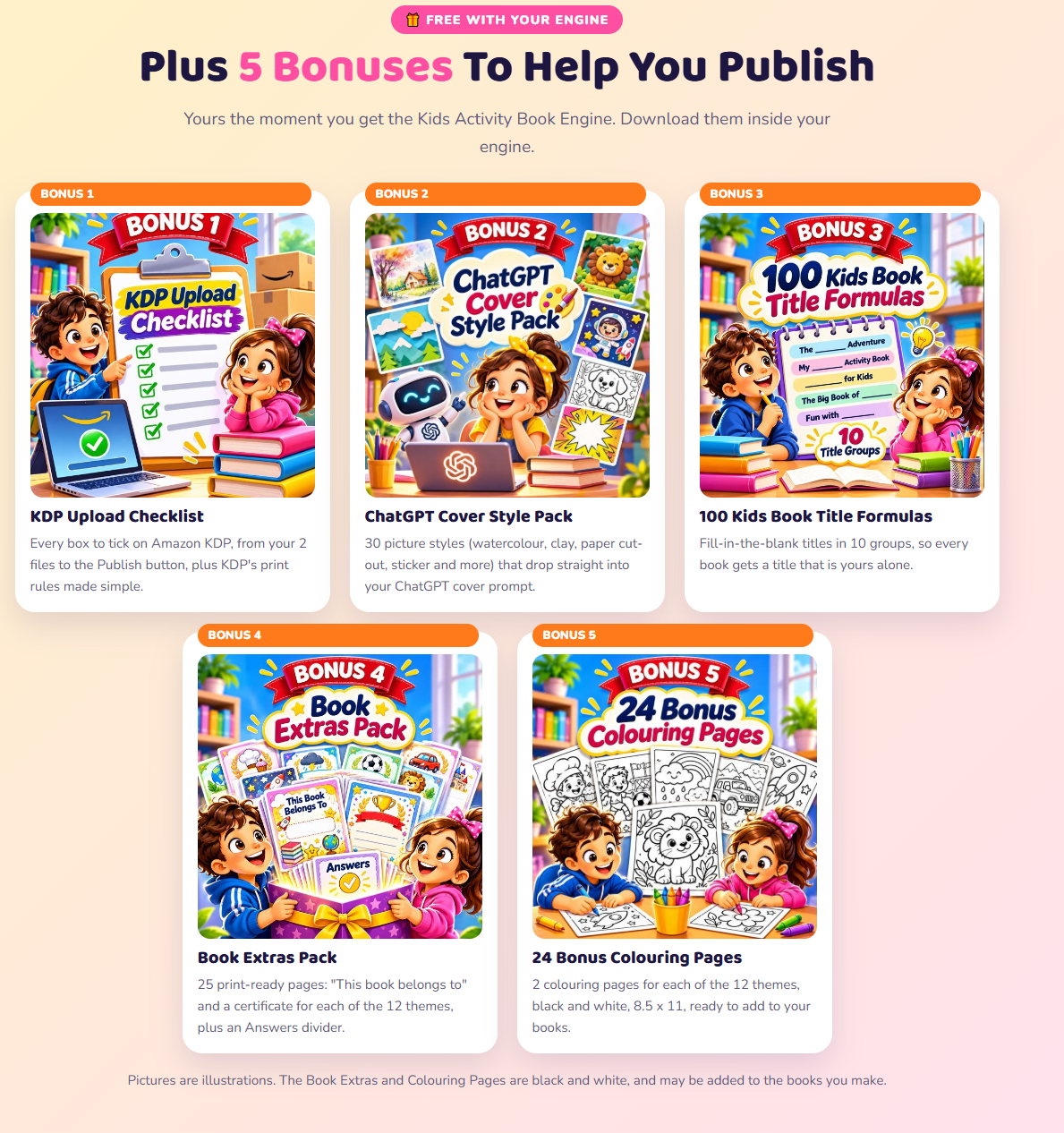
The front-end offer also lists five bonuses.
KDP Upload Checklist: A guide to the main steps involved in uploading a book to KDP.
ChatGPT Cover Style Pack: 30 suggested visual styles for cover-image creation.
100 Kids Book Title Formulas: Title ideas organised into different groups.
Book Extras Pack: 25 additional printable pages, including ownership pages, certificates and an answer divider.
24 Bonus Colouring Pages: Two colouring pages for each of the 12 themes.
These extras may be useful if you want to add more variety to your activity books.
tus nec ullamcorper mattis, pulvinar dapibus leo.
Who Should Consider Kids Activity Book Engine?
This tool may be worth considering for:
KDP beginners: People who want to explore children’s puzzle books without designing every page manually.
Existing KDP publishers: Publishers who want another tool for creating activity-book interiors.
Teachers and tutors: Educators who need themed printable activities and answer pages.
Homeschooling families: Parents who want age-based puzzles for learning activities.
Printable shop owners: Sellers who create downloadable activity packs for their own websites.
Parents: People who want to make themed puzzles for home use or special occasions.
Who May Not Need It?
It may not be the right choice if you:
Want to create full-colour illustrated storybooks.
Need advanced puzzles such as sudoku and crosswords in the basic version.
Expect the software to publish and market books automatically.
Want to resell access to the engine itself.
Prefer to design every page manually.
Kids Activity Book Engine Pricing
According to the supplied launch information, the front-end price is $17 one-time.
The front-end offer is described as having no recurring monthly fee and no AI credit system.
The purchase includes the core puzzle-book builder, its listed features and five bonuses.
No launch coupon was listed in the supplied information. Check the official sales page for the current price and any changes to the offer.
Kids Activity Book Engine OTOs and Upgrades
The sales funnel also lists optional upgrades. These are separate purchases and are not all included in the $17 front-end offer.
| upgrade | Product | Listed Price |
|---|---|---|
| Order Bump | Book Blueprints | $12.95 |
| OTO 1 | KABE Starter Club | $27/month |
| OTO 2 | Puzzle Pro Pack | $47 |
| OTO 3 | Cover & Listing Studio | $27 |
| OTO 4 | Seasonal Book Builder | $47 |
| OTO 5 | Early Learning Builder | $47 |
| OTO 6 | KDP Paperback Profit Blueprint | $19.95 |
| OTO 7 | KABE Everything | $597 |
| OTO 7 Downsell | KABE Everything Unlimited | $97/month |
Order Bump: Book Blueprints – $12.95
This add-on is described as providing 525 ready-made book plans at launch, with 25 additional plans scheduled every Monday through May 2027.
The plans can prefill settings such as age group, themes, puzzle mix and book size. You still need to add your own title and pen name.
OTO 1: KABE Starter Club – $27 Per Month
This monthly upgrade removes the front-end monthly book cap for the included puzzle types and themes, subject to the stated fair-use limit of 30 books per day.
It does not unlock the separate Puzzle Pro, Seasonal or Early Learning upgrades.
OTO 2: Puzzle Pro Pack – $47
This upgrade adds more puzzle types, including number sudoku, secret code puzzles and crosswords with kid-friendly clues.
It also adds 50 themes, although the supplied details say that not every new theme includes its own pictures and illustrated cover.
OTO 3: Cover & Listing Studio – $27
This upgrade is designed to help with book presentation.
It includes listing content such as title ideas, subtitles, descriptions, keywords, categories and reading-age suggestions. It also includes a back-cover designer and book mockups.
You should review and edit all generated listing information for accuracy before using it.
OTO 4: Seasonal Book Builder – $47
This adds seasonal and holiday themes, including occasions such as Halloween, Christmas, Mother’s Day and Back to School.
The supplied details also list 72 holiday book plans.
OTO 5: Early Learning Builder – $47
This upgrade focuses on early-learning workbooks for children aged 4–6.
The listed activities include alphabet tracing, numbers, picture maths, sight words, telling time, patterns and colouring.
OTO 6: KDP Paperback Profit Blueprint – $19.95
This is a 78-page guide covering KDP setup, account information, publishing steps, keywords, categories and royalty calculations.
OTO 7: KABE Everything – $597
The top-tier option is described as unlocking all upgrades, future themes, an agency licence and unlimited book creation subject to a stated fair-use limit.
A monthly downsell called KABE Everything Unlimited is listed at $97 per month.
My suggestion: Do not purchase every upgrade automatically. Start with the front-end version and decide what you actually need after trying the basic features.
Pros and Cons
Pros
Four puzzle types are included in the basic version.
Three age levels provide different difficulty settings.
Twelve themes offer a range of book ideas.
The system generates answer keys.
Interior and wrap cover PDFs are included.
Five bonuses are listed with the front-end offer.
No separate AI credits or API key are required for the basic workflow.
Commercial use is included for the books you create, subject to the product’s terms.
The front-end price is a one-time payment according to the offer details.
Cons
The basic version has only four puzzle types.
Interior puzzle pages are black and white.
Custom cover creation may require an additional ChatGPT step.
You still need to review the files and prepare the KDP listing.
Some useful features are sold as separate upgrades.
The upgrade funnel includes recurring monthly plans.
Access depends on the online platform remaining available.
The tool does not guarantee KDP approval, book sales or income.
Important Things to Check Before Buying
A useful product review should look beyond the feature list. Here are several points worth considering.
1. Amazon KDP Has Weekly Title Limits
The supplied product information lists a monthly allowance of 45 books in the front-end version.
However, Amazon’s current KDP help page states that users can create up to two new titles per book format each week and submit up to two new titles per book format each week. The limits apply separately to eBooks, paperbacks and hardcovers, and reset every Sunday at 12:00 AM UTC.
This means the tool’s monthly production allowance should not be confused with the number of new paperback titles you can create and submit on KDP. The additional capacity may be more useful if you also create printables, make books for clients or use the files outside Amazon. <a href=”https://kdp.amazon.com/en_US/help/topic/G202172740“>Amazon KDP’s current title limits</a>.
2. Check AI-Generated Images and Artwork
The supplied review information says that theme pictures may have been created using AI tools and that a custom cover can be generated with ChatGPT.
Amazon KDP requires publishers to disclose AI-generated text, images or translations when publishing or republishing a book. This includes AI-generated cover and interior artwork. AI-assisted editing is treated differently.
Check the artwork used in your book and answer KDP’s AI-content questions accurately. See <a href=”https://kdp.amazon.com/en_US/help/topic/G200672390“>Amazon’s KDP Content Guidelines</a>.
3. KDP-Ready Does Not Mean Automatically Approved
The tool provides PDFs intended for KDP, but you remain responsible for checking the final files.
Open the interior and cover in KDP’s previewer. Review margins, page order, text, image quality, cover dimensions and any warnings before submitting the book.
4. Unique Puzzles Do Not Guarantee Unique Market Positioning
The product says each build creates fresh puzzles. That may help avoid simply reusing the same puzzle pages.
However, buyers still work from a shared selection of themes and layouts. Your book’s quality, audience, cover, title and product description will matter when competing with other activity books.
5. Understand the Upgrade Costs
The $17 front-end price is only the starting offer. Some upgrades are one-time purchases, while others are monthly subscriptions.
Read each checkout page carefully and decide whether the extra features justify the additional cost for your intended use.
Is Kids Activity Book Engine Legit?
Based on the supplied product information, Kids Activity Book Engine is presented as a web-based product from Dave Espino and Anil Krishna, sold through WarriorPlus.
The offer lists a 30-day refund policy and explains that customers can sell or give away the books they create, but cannot resell access to the engine itself.
Those details are useful, but they do not independently prove the quality of every generated book or guarantee that the service will meet every user’s needs.
Before purchasing, review the current terms, refund instructions, platform access conditions and the exact features included in the checkout offer.
Is Kids Activity Book Engine Worth $17?
Kids Activity Book Engine may be worth considering if you want a structured way to generate children’s puzzle books without manually creating every maze, word search and answer key.
Its main appeal is the combination of four puzzle formats, age-based difficulty, themed content and downloadable book files.
The $17 front-end offer is relatively low-cost compared with paying for a larger publishing platform. However, value depends on how often you use it and whether the generated pages meet your quality standards.
If you are a beginner, I would start with the basic version rather than buying the entire upgrade funnel. Create a sample book, review the output and decide whether you need more puzzle types or listing tools.
Should You Buy Kids Activity Book Engine?
Kids Activity Book Engine is designed to make one part of children’s activity-book publishing easier: creating puzzles, preparing answer keys and assembling the files.
It may suit KDP beginners, teachers, parents and printable sellers who want a faster starting point for making themed puzzle books.
There are also limitations. The basic version has four puzzle types, the interior pages are black and white, and you still need to check the files, prepare the listing and handle marketing. Amazon’s publishing limits and AI disclosure requirements are also important considerations.
My recommendation: Consider the $17 front-end offer if its features match your needs. Test the generated files carefully before investing in optional upgrades.
The tool can help with book production, but your publishing decisions and final quality checks remain essential.
Check the current offer here: https://theeliteengines.com/kids-activity-engine/
Frequently Asked Questions
1. What is Kids Activity Book Engine?
It is a web-based tool designed to create children’s puzzle and activity books with mazes, word searches, word scrambles and odd-one-out puzzles.
2. How much does Kids Activity Book Engine cost?
The supplied launch details list the front-end price at $17 as a one-time payment. Check the official page for the current price.
3. Do I need to install software?
No desktop installation is listed as necessary. The tool runs inside an Elite Engines account.
4. Do I need ChatGPT?
No. ChatGPT is optional and is used in the custom-cover workflow described in the product information.
5. Which age groups are supported?
The three listed age levels are 4–6, 6–8 and 8–10.
6. Can I create different types of puzzles?
Yes. The front-end version lists mazes, word searches, word scrambles and odd-one-out activities.
7. Can I sell the books I create?
The supplied terms say you can sell or give away the books you create, including through Amazon KDP or your own store. You cannot resell access to the engine itself. Review the current licence terms before commercial use.
8. Does it create KDP-ready files?
It provides an interior PDF and a full-wrap cover PDF intended for KDP. You should still inspect both files using KDP’s previewer before submitting them.
9. Are the puzzle pages in colour?
The supplied product information describes the interior puzzle pages as black and white. The cover is full colour.
10. Does Kids Activity Book Engine guarantee sales?
No. A book-creation tool cannot guarantee sales, rankings or publishing income. Results depend on book quality, audience demand, pricing, competition and marketing.
11. Do I need to disclose AI-generated images to Amazon KDP?
Yes, if your book includes AI-generated images or artwork, KDP requires disclosure when you publish or republish the book. Check the current KDP guidelines for details.
12. Is there a refund policy?
The supplied offer information lists a 30-day refund policy. Check the current checkout terms and follow the stated refund procedure.
Affiliate Disclosure
This article may contain affiliate links. If you purchase through one of these links, we may receive a commission at no additional cost to you. This helps support our website and allows us to continue publishing product reviews. Our opinions and recommendations should be considered alongside your own research.